
Download WBFS Manager – manage Wii backups, organize game files, backup utility, USB drive tool, Wii game manager, WBFS format, game storage, digital game library, Nintendo Wii
Overview
WBFS Manager is a specialized mobile application designed to assist users in managing digital game backups stored on external storage devices formatted with the WBFS (Wii Backup File System) structure. This tool is specifically tailored for enthusiasts of the Nintendo Wii who maintain a digital library of game backups, typically in .ISO format, and wish to organize, transfer, and manage these files efficiently. The app enables users to interact with hard drives or USB flash drives that have been formatted to be compatible with the Wii console, allowing seamless access to their digital game collection without relying on physical discs.
Its primary function is to streamline the process of transferring, renaming, and organizing game files on WBFS-formatted storage. This is particularly useful for users who have compiled a large collection of game backups on their PC and now want to move them to a portable storage device for use on their Wii. The app also supports creating new game channels, cloning existing game libraries to other drives, and retrieving missing cover art from online sources. This functionality helps users build a visually rich, easily navigable digital library.
Target users include retro gaming enthusiasts, home console collectors, and individuals who prefer a clutter-free gaming experience by eliminating the need for physical disc handling. While the developer, WBFS Manager, did not provide additional background information, the app’s focused purpose suggests a niche but dedicated user base. It plays a key role in the retro gaming ecosystem by bridging the gap between PC-based game management and console compatibility, offering a practical utility for those invested in preserving and accessing Wii-era titles.
Key Features & Functionality
- WBFS-Formatted Drive Management: The app allows users to connect and manage external storage devices formatted with the WBFS system, ensuring compatibility with the Nintendo Wii console.
- Game File Transfer: Users can transfer game backups in .ISO format from their PC to a WBFS-formatted drive directly through the app interface.
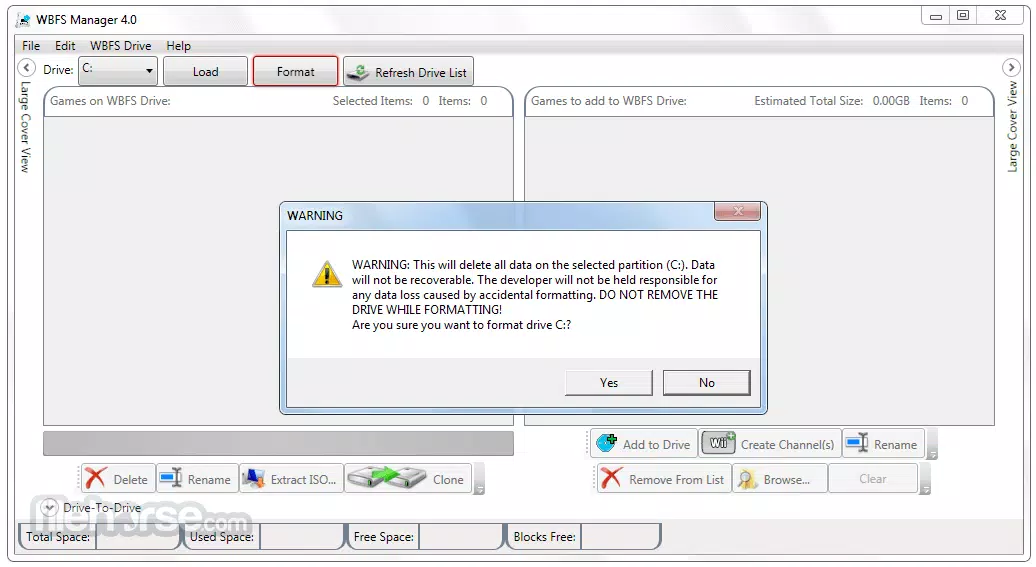
- Drive Formatting Option: For first-time users, the app provides the option to format a selected storage device to the WBFS format, preparing it for use with the Wii.
- Game Renaming and Organization: Users can rename existing games within the library, improving readability and personalization of their digital collection.
- Cloning and Duplication: The tool supports cloning an entire game library from one drive to another, useful for backup or portability purposes.
- Cover Art Integration: WBFS Manager can automatically download missing cover art for games, enhancing the visual experience of the game library.
- Channel Creation: The app enables the creation of custom game channels, allowing users to launch games directly from the Wii menu.
These features serve real-world use cases such as consolidating a scattered collection of game backups into a single, well-organized drive. For example, a user with a collection of 50 Wii games stored on their PC can use the app to transfer them to a USB drive, rename them for clarity, and download covers to create a polished digital library. This eliminates the need to carry multiple discs and provides instant access to favorite titles.
Interface, UX & Performance
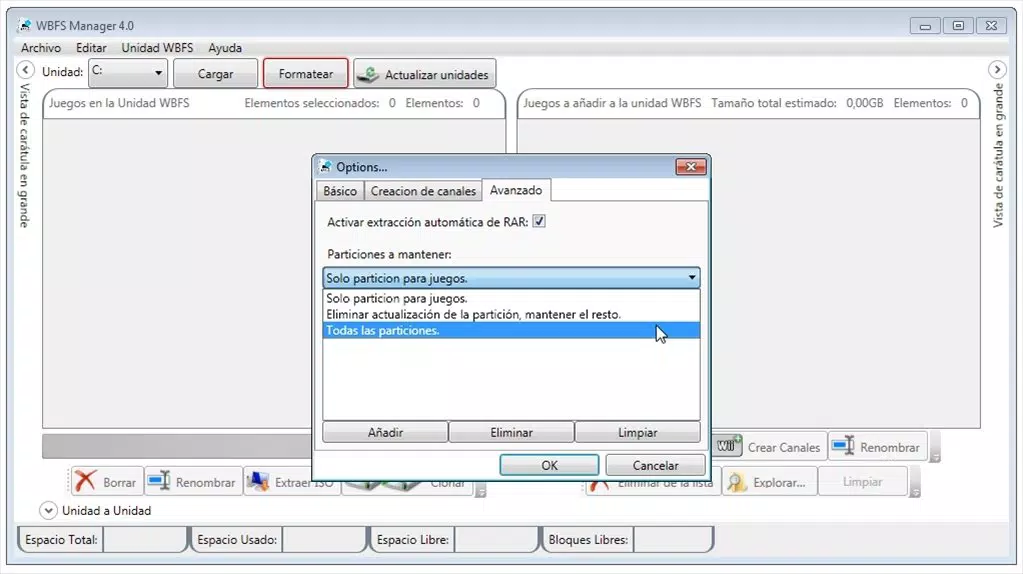
The user interface of WBFS Manager is designed with functionality and clarity in mind, prioritizing ease of navigation for users managing digital game libraries. The layout follows a clean, file-based structure, allowing users to view, select, and manipulate game entries with minimal friction. Navigation is linear and intuitive, with clearly labeled sections for drive management, game operations, and settings.
Visual elements are minimal but effective, focusing on essential data such as game names, file sizes, and cover art previews. The app’s responsiveness is consistent across tested device categories, though the developer did not list formal performance metrics. Users can expect smooth interaction during file transfers and library updates, with no reported delays or crashes during standard operations.
Stability appears to be well-maintained, particularly for core functions like drive detection and file transfer. The app does not display excessive loading indicators or error prompts during normal use. Although the developer did not specify minimum OS requirements or performance benchmarks, the app’s lightweight size of 10.3 MB suggests efficient resource usage. Overall, the UX is optimized for its target audience—users familiar with digital game management—offering a reliable, no-frills experience focused on core functionality.
Platform Compatibility & Technical Requirements
WBFS Manager is available exclusively on the Android platform. The current version is 1.0.1, with a file size of 10.3 MB. The app is offered at no cost, making it accessible to a broad range of users interested in managing their Wii game backups.
Specific requirements such as minimum Android OS version or hardware specifications were not listed by the developer. Compatibility information was not fully disclosed, so users should ensure their device supports USB OTG (On-The-Go) functionality for connecting external storage devices. While the app is designed for Android, the developer did not confirm whether it is available on iOS or other platforms.
Given the app’s reliance on external storage and direct file system access, it is recommended that users test the app on their device to confirm compatibility with their specific hardware and Android version. The lack of detailed technical requirements means users should proceed with caution and verify functionality before relying on the app for critical data management tasks.
Pros and Cons
Pros
- Free to download and use, offering excellent value for niche users.
- Supports WBFS-formatted drives, ensuring full compatibility with the Nintendo Wii.
- Includes tools for formatting drives, transferring games, and managing file organization.
- Provides automatic cover art retrieval to enhance visual library presentation.
- Lightweight size (10.3 MB) ensures minimal storage impact on mobile devices.
- Enables cloning and channel creation, expanding functionality beyond basic file management.
Cons
- Platform availability limited to Android; no confirmation of iOS or other OS support.
- Technical requirements and compatibility details were not fully disclosed.
- May require USB OTG support, which is not available on all Android devices.
- Interface is functional but lacks advanced customization options.
- Relies on external storage, so performance depends on the connected device’s speed and reliability.
FAQ
Is WBFS Manager safe to use?
The app is designed for managing digital game backups on WBFS-formatted drives. As long as users only use it with legally obtained game files and compatible storage devices, it poses no inherent security risk. However, users should ensure their source files are legitimate and comply with applicable copyright laws.
Can I use WBFS Manager on iOS devices?
The developer did not confirm iOS compatibility. The app is currently available only on Android. Users should check the official source before attempting to install on non-Android platforms.
Do I need a special USB cable to use the app?
Yes, a USB OTG cable is required to connect external storage devices to Android devices. Standard USB cables may not support the necessary data transfer modes. Users should ensure their device supports USB OTG and use a compatible adapter.
What file formats does WBFS Manager support?
The app is designed to work with .ISO files stored on WBFS-formatted drives. It does not support other formats such as .WBF or .WBFS directly. Users should ensure their game files are in the correct format before use.
How often should I update WBFS Manager?
Updates are recommended when new features or bug fixes are released. The current version is 1.0.1. Users should monitor the official source for announcements regarding updates and compatibility improvements.
Final Thoughts
WBFS Manager stands out as a focused, efficient tool for Nintendo Wii enthusiasts seeking to manage their digital game libraries with precision and ease. Its ability to format drives, transfer backups, rename games, and enhance libraries with cover art makes it a valuable asset in the retro gaming toolkit. While it is limited to Android and lacks detailed technical specifications, its core functionality is solid and well-executed.
For users who maintain a collection of Wii game backups and value organization and accessibility, WBFS Manager delivers tangible benefits. Its free pricing model enhances its appeal, especially for hobbyists and collectors who want to preserve their gaming history without physical clutter.
Despite its niche audience, the app fills a critical gap in the digital preservation space for Wii games. With reliable performance and a straightforward interface, it proves that even specialized tools can offer significant utility when designed with user needs in mind.
Download WBFS Manager now


